
Google Business Profile Optimisation Guide for Local Businesses
Google Business Profile (GBP), formerly known as Google My Business, is one of the most powerful tools for local SEO. It’s free, highly visible, and directly influences how your business appears in Google Search and Maps.
Yet many local businesses treat it as a “set and forget” listing. This guide walks you through the most effective Google Business Profile optimisation strategies to improve visibility, attract more local customers, and convert searches into sales.
Article Sections
- Why Google Business Profile optimisation matters
- Claim and verify your Google Business Profile
- Choose the right business categories
- Optimise your business name and description
- Add accurate contact details and business hours
- Upload high‑quality photos and videos
- Enable messaging and booking features
- Collect and respond to customer reviews
- Use Google Posts to promote updates and offers
- Monitor insights and performance metrics
- Maintain consistency across all local listings
- Advanced Google Business Profile optimisation tips
- Common mistakes to avoid
- Conclusion: The impact of a fully optimised Google Business Profile
Why Google Business Profile optimisation matters
Google Business Profile optimisation is one of the most impactful steps a local business can take to improve visibility in Google Search and Google Maps. When someone searches for a service “near me,” Google relies heavily on GBP data to decide which businesses appear in the local pack—the three listings shown prominently above organic results.
This placement drives a significant share of local traffic, and businesses that appear here consistently outperform competitors who rely solely on traditional SEO.
A fully optimised Google Business Profile helps Google understand exactly who you are, what you offer, and which customers you serve.
The more complete, accurate and active your profile is, the more confidence Google has in recommending your business to local searchers. This is why Google Business Profile optimisation is considered a core ranking factor in local SEO.

Beyond rankings, an optimised profile improves customer trust. When users see updated photos, recent reviews, accurate hours and clear service information, they are far more likely to choose your business over one with an incomplete or outdated listing.
In many cases, customers make their decision without ever visiting your website; your Google Business Profile becomes the new homepage for your local brand.
Optimisation also influences real‑world actions. A well‑maintained profile increases clicks, calls, direction requests and bookings.
Google’s own data shows that businesses with complete profiles are twice as likely to be considered reputable and receive significantly more engagement. For local businesses competing in crowded markets, this can be the difference between steady foot traffic and being overlooked entirely.
Claim and verify your Google Business Profile
Before you can optimise your profile, you need to claim and verify it. Visit Google Business Profile Manager and search for your business. If it’s already listed, claim ownership. If not, create a new profile.
Verification methods include postcard, phone, email, or instant verification (for some businesses). Without verification, your edits won’t appear publicly, and you won’t have access to key features like insights or reviews.
Choose the right business categories
Your primary category tells Google what your business is about. Choose the most accurate category that reflects your core offering. You can also add secondary categories to capture related services.
For example, a physiotherapy clinic might use “Physiotherapist” as the primary category and “Sports Injury Clinic” or “Massage Therapist” as secondary categories. Categories influence which searches you appear in, so choose wisely.
Optimise your business name and description
Your business name should match your real‑world branding. Avoid keyword stuffing—Google may suspend listings that violate its guidelines.
In your business description, use natural language to highlight your services, location, and unique selling points. Include relevant long‑tail keywords like “sports physiotherapy in Fremantle” or “family‑owned café near Albany” to improve local relevance.
Add accurate contact details and business hours
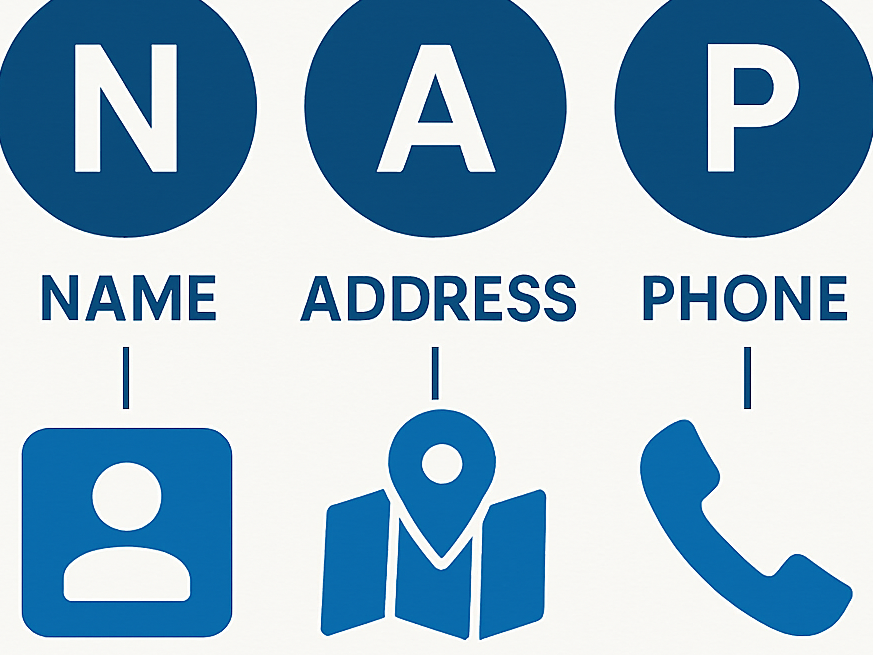
Consistency is key. Your Name, Address, and Phone Number (NAP) should match your website and other online listings. Inconsistent details can hurt your local SEO.
Set regular hours and update them for holidays or special events. Google rewards active management, and accurate hours improve customer trust and engagement.
Upload high‑quality photos and videos
Visuals play a major role in click‑through rates. Businesses with photos receive 42% more requests for directions and 35% more website clicks according to marketwake.com.
Include:
- Exterior and interior shots
- Team photos
- Product or service images
- Short videos showcasing your space or offerings
Use clear, well‑lit images and geo‑tag them if possible. This helps Google associate your visuals with your physical location.
Enable messaging and booking features
Google allows customers to message you directly from your profile. Enable this feature to increase engagement and respond quickly to inquiries.
You can also integrate booking platforms like Calendly, Booksy, or your own scheduling system. This streamlines the customer journey and improves conversion rates.
Collect and respond to customer reviews
Reviews are a major ranking factor for local SEO. Encourage satisfied customers to leave reviews by sending follow‑up emails or using QR codes in your physical location.
Respond to every review—positive or negative. Thank customers for their feedback and address concerns professionally. Active review management signals trustworthiness and improves your profile’s performance.

Use Google Posts to promote updates and offers
Google Posts are one of the most underused features in Google Business Profile, yet they play a significant role in effective Google Business Profile optimisation.
These short updates appear directly on your profile in both Search and Maps, giving you a powerful way to communicate with potential customers at the exact moment they are evaluating your business. When used consistently, Google Posts can increase engagement, improve click‑through rates, and reinforce your local SEO signals.
Google Posts function like mini‑advertisements. You can use them to highlight promotions, announce events, share business updates, showcase new products, or publish helpful tips. Because they appear prominently on your profile, they help your listing look active, trustworthy and well‑maintained—qualities Google rewards in local search rankings.
There are several types of Google Posts you can create, each serving a different purpose. Update posts are ideal for general announcements such as new opening hours, service changes or seasonal messages.
Offer posts allow you to promote discounts or limited‑time deals with clear start and end dates. Event posts are perfect for workshops, launches or community activities. Product posts let you feature individual items with descriptions, pricing and calls to action.
To get the most out of Google Posts, focus on clarity and relevance. Use concise, benefit‑driven copy that speaks directly to your local audience. Include high‑quality images that match your brand and draw attention.
Add a strong call to action such as “Book now,” “Learn more,” or “Call today” to guide users toward the next step. Incorporating local keywords—such as your suburb, service area or niche—can also help reinforce your relevance in local search.
Consistency is key. Google Posts expire after seven days (except event and product posts), so publishing regularly signals to Google that your business is active.
This ongoing activity supports your overall Google Business Profile optimisation efforts by keeping your listing fresh and engaging. Businesses that post weekly often see higher interaction rates and improved visibility in the local pack.
Google Posts also provide valuable insights. You can track views, clicks and interactions to understand what resonates with your audience. This data helps refine your messaging and identify which offers or updates drive the most engagement.
In short, Google Posts are a simple but powerful tool for boosting visibility, promoting timely information and strengthening your Google Business Profile optimisation strategy. When used consistently, they help you stand out from competitors and convert more local searchers into customers.
Monitor insights and performance metrics
Google Business Profile provides analytics on how users interact with your listing. Track:
- Profile views
- Website clicks
- Phone calls
- Direction requests
Use this data to refine your optimisation strategy. For example, if most users request directions, consider adding parking info or nearby landmarks to your description.
Maintain consistency across all local listings
Maintaining consistency across all local listings is a critical part of effective Google Business Profile optimisation. Google relies on information from across the web to validate the accuracy and legitimacy of your business.
When your business name, address and phone number (NAP) appear consistently on directories, social platforms and industry websites, Google gains confidence that your business is real, active and trustworthy. This trust directly influences your local search rankings.
Inconsistent listings, on the other hand, create confusion. If your business is listed as “Perth Plumbing Co.” on one directory, “Perth Plumbing Company” on another, and “Perth Plumbers” somewhere else, Google may treat these as separate entities.
Even small discrepancies—such as different phone numbers, abbreviations, or outdated addresses—can weaken your local authority and reduce your chances of appearing in the local pack.
To maintain consistency, start by auditing your existing citations. Search for your business name and note every directory where you appear. Check for variations in spelling, formatting, or contact details.
Pay close attention to older listings, especially if your business has moved locations, changed phone numbers, or rebranded. These outdated citations often linger online and can negatively impact your Google Business Profile optimisation efforts.
Once you identify inconsistencies, update each listing manually or use a citation management tool. Platforms like BrightLocal, Yext, Semrush and Moz Local can streamline this process by syncing your NAP details across dozens of directories at once. While manual updates work for smaller businesses, automated tools are ideal for companies with multiple locations or a large number of listings.
Beyond basic NAP details, ensure your business categories, website URL, hours and descriptions are also aligned across platforms. Consistency in these secondary fields reinforces your brand identity and helps Google understand your services more clearly. The more unified your online presence is, the stronger your local SEO signals become.
It’s also important to maintain consistency over time. Set a schedule to review your listings every few months, especially if you update your Google Business Profile. Any changes—such as new hours, additional services or a new phone number—should be reflected everywhere your business appears online.
Advanced Google Business Profile optimisation tips
Once the basics are covered, try these advanced tactics:
- Geo‑tag your photos before uploading
- Use UTM parameters to track profile traffic in Google Analytics
- Answer common questions in the Q&A section with keyword‑rich responses
- Add products and services with detailed descriptions
These strategies help you stand out in competitive local markets and improve your profile’s SEO footprint.
Common mistakes to avoid
Avoid these pitfalls:
- Keyword stuffing in your business name
- Using a virtual office or PO box as your address
- Ignoring reviews or failing to respond
- Leaving outdated hours or contact info
These mistakes can lead to reduced visibility or even suspension of your listing.
Conclusion: The impact of a fully optimised Google Business Profile
Google Business Profile optimisation is one of the most cost‑effective ways to improve local visibility and attract nearby customers.
By following best practices—claiming your listing, choosing the right categories, adding visuals, collecting reviews, and posting updates—you create a dynamic, trustworthy presence that converts searchers into loyal customers.
Treat your profile as a living asset. Regular updates and engagement signal to Google that your business is active, relevant, and worth ranking.